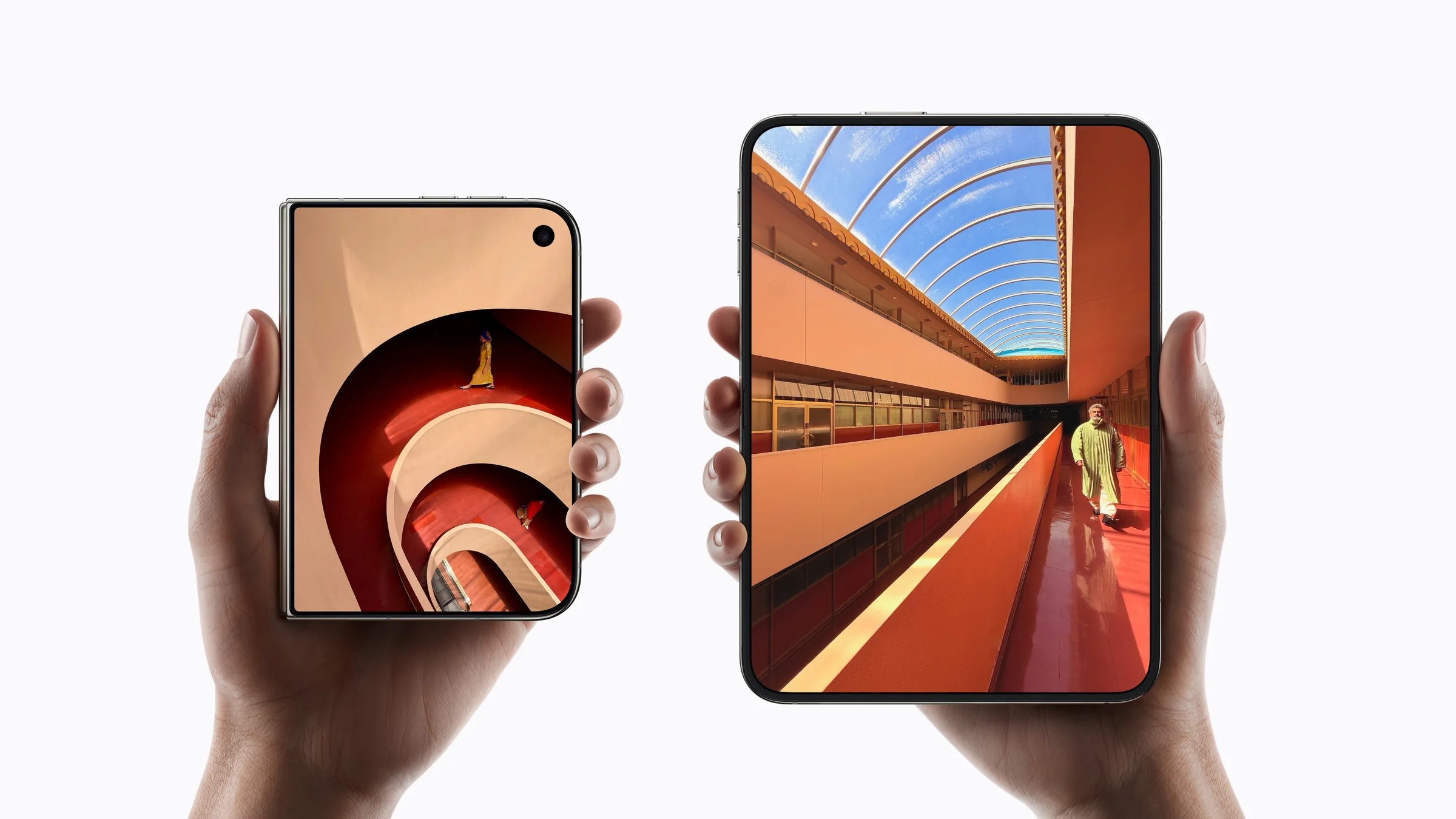
Will your app work on iPhone Duo? It will open, but until it is rebuilt with Xcode 27.1 it will not fill the display, and how well it adapts to the larger inner screen depends on how its layouts were built. Your customer opens a new phone, unfolds it, and your app is on a screen almost the size of a small tablet. Does it fill the space, keep their place and look made for it, or does it stretch, stop short of the edges and lose the basket? That is the question iPhone Duo puts to every iOS app. Apple announced its first foldable iPhone on 9 September 2026: a 5.4-inch display when closed, a 7.6-inch display when open, on sale from 23 October. Here is what changes in your app, how to prepare it, and how we can do it for you.
What changes in your app on iPhone Duo
Your app will almost certainly open on iPhone Duo on day one. What your customers see when it does is another matter. These are the six changes they will notice.
1. Empty edges until you rebuild
What your customers see: an app that does not reach the edges of the screen. Apple states that apps built with Xcode 26 or earlier do not extend under the status bar and the camera on iPhone Duo, and InfoQ reports the same. On a phone that costs from $1,999, an app that looks unfinished is the first impression of your brand. What to do: rebuild with Xcode 27.1 and the iOS 27.1 SDK.
2. Two screens and three postures
Apple’s announcement describes a compact outer display for quick tasks and a much larger inner one. As Macworld’s guide puts it, the closed phone is close to a familiar iPhone and the open one close to a small tablet. Between the two, it can stand partially folded like a laptop on a table. Your app has to look right in every one of those poses, in both orientations.
3. Fixed layouts start to show
What breaks: screens drawn for one iPhone width stretch, crop images badly or leave wide empty margins on the inner display. Apple’s guidance, Preparing your app for iPhone Duo, is clear: size views relative to their container and base layout on the scene, not on the dimensions of the screen.
4. Your app moves while it is in use
When your customer opens or closes the phone, your app passes from one display to the other mid-task. They expect the same scroll position, the same basket, the same half-written message. An app that reloads or resets at that moment feels broken, even if each screen looks fine on its own.
5. Room for two things at once
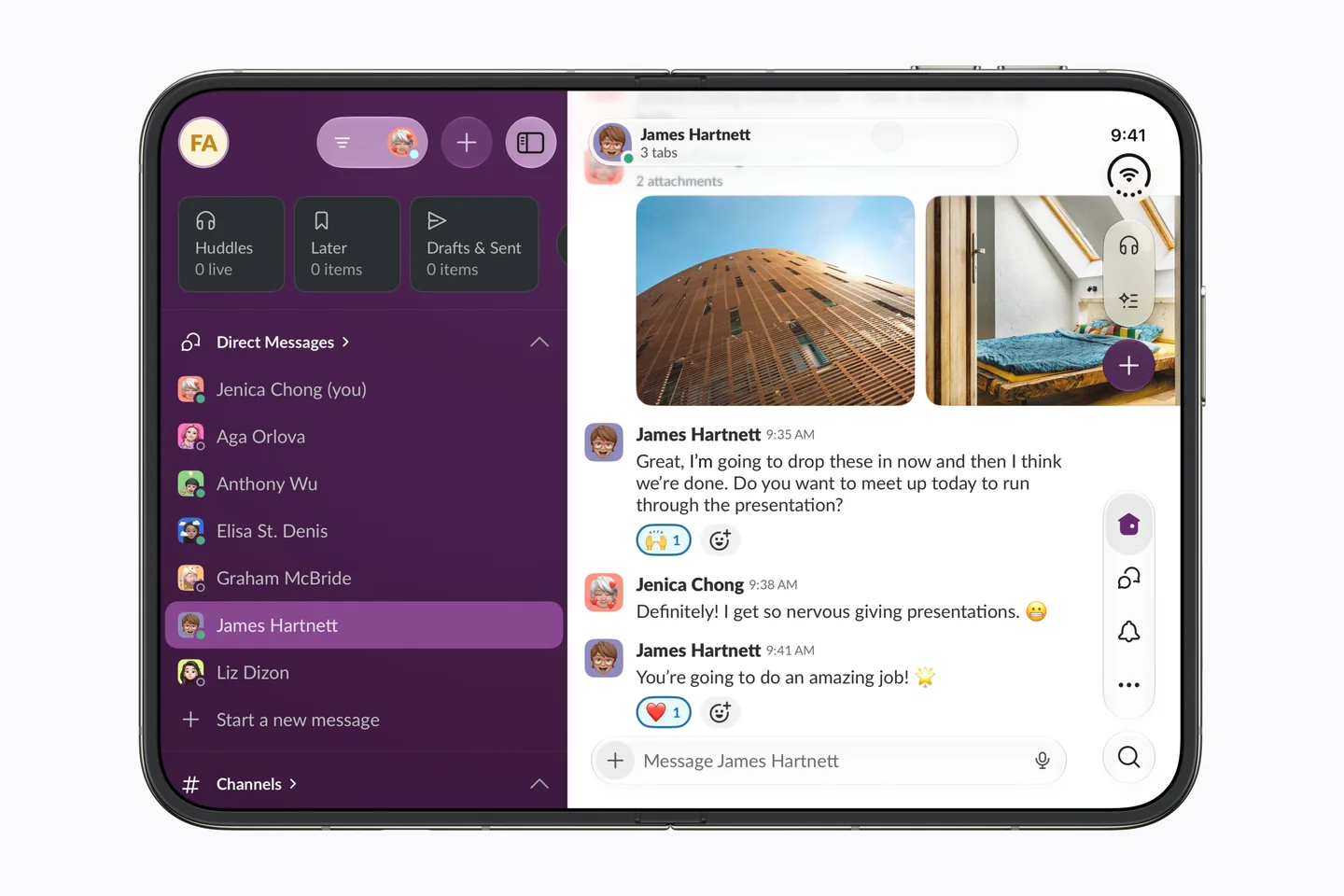
What gets better: the open phone has space for a list beside its detail, or a catalogue beside the basket. Apple’s new arrangement views place a primary and a secondary view side by side when the phone is flat and on either side of the fold when it is partly closed.
6. Custom views meet the fold and the camera
iOS treats the fold and the front cameras as reserved regions. Apple’s own split views, tab bars and navigation stacks work around them by themselves. A custom map, canvas or player does not, and a button that lands in the fold is hard to see and to press. Toolbars can also move to the side of the display and stand vertically, showing icons only.
What the fold changes, app by app
- E-commerce. Closed, a quick look at an order. Open, the product gallery beside its details, or the catalogue beside the basket, without losing the basket when the phone folds.
- Booking. A calendar on one half and the available times on the other; a map beside the list of places.
- Media and streaming. Partially folded on a table, the video above and the controls or comments below.
- Banking and SaaS dashboards. A summary on the outer display, the full table or chart on the inner one, with filters beside the data instead of over it.
In each case the question is the same: which two things do your customers already switch between, and can the open phone show both?
How to prepare your app for iPhone Duo
These are the steps worth taking now, in order.
- Rebuild with Xcode 27.1 and the iOS 27.1 SDK, and run the app on the new simulator.
- Test every key journey closed, open and partially folded, in both orientations: sign-in, search, checkout, booking, sharing.
- Remove fixed screen sizes and base layouts on the space the app actually has.
- Move to system containers where custom ones add nothing: split views, tab bars, navigation stacks and the new arrangement views.
- Keep state across changes of size, so opening or folding the phone never loses your customer’s place.
- Review your bars: primary navigation at the top, an icon and a title for every toolbar item, rarer actions in the overflow menu.
- Check custom views against the fold and the cameras using the reserved regions the system reports.
- Choose one or two moments to design for the open phone and plan them as a second phase.
An app that already resizes well on iPad and Mac is, in Apple’s words, well on its way. An app built for a single iPhone width needs more work, and it is better to find out before your customers do.
We’ll get your app ready for iPhone Duo
We design and build apps with adaptive layouts and system components from the start, so a new screen shape is a matter of review rather than starting again. For iPhone Duo we offer three things:
- A check of how your app looks and behaves on iPhone Duo. We rebuild it with the current tools, walk its key journeys in every pose and give you a written list: what breaks, what looks dated, what can wait.
- Adapting your existing iOS app. Layouts, state and bars fixed so it works properly on both displays, without changing what your customers already know.
- New apps designed and built for both screens. Where the open phone can do more, we design those moments and build them, tested on the simulator and on the device.
See how we approach UX/UI design and application development, or tell us about your app. We will tell you plainly what iPhone Duo means for it and what we would do first.
Questions people ask
Will my app work on iPhone Duo?
Almost certainly it will open and run. Until it is rebuilt with Xcode 27.1 it will not use the whole display, and how well it adapts to the larger inner screen and the folded postures depends on how its layouts were built. A check on the simulator shows you quickly where you stand.
Do I need to rebuild my app for iPhone Duo?
Yes, if you want it to use the full display: Apple states that apps built with Xcode 26 or earlier do not extend under the status bar and camera on iPhone Duo. Rebuilding is the first step; the work after it depends on what the rebuild reveals.
How long does it take to prepare an app for iPhone Duo?
It depends on the app. One built with adaptive layouts and system containers may need little more than a rebuild and a round of testing. One built for a single iPhone width may need its key screens reworked. An audit gives you a real answer for your own app before any work is quoted.
What changes in my app’s design on a foldable iPhone?
Your screens have to work at two sizes and in a partially folded pose, toolbars may move to the side of the display, and the open phone gives room to show two related views at once. Most apps gain the most from designing one or two moments especially for the open phone.
Images: Apple. Odduel is not affiliated with Apple. iPhone is a trademark of Apple Inc.
Further reading: MVP development: from idea to a first version people pay for, Native vs cross-platform apps: Flutter, React Native or native, App development: from idea to the store.