The e-commerce website features a shop needs on day one are the ones that let a stranger find a product, trust it, pay for it and get it delivered without help: clear product pages, search and filters, a short checkout with the right payment methods, delivery and returns information, accounts that are optional, and the legal and consent pieces European buyers expect. Everything else, from loyalty schemes to personalisation, can wait until real orders show what customers want.
Last updated: 21 October 2026.
This guide lists the features that belong in a first release, grouped by the job they do, then the features that can wait, the European rules that shape several of them and a checklist to agree the scope with whoever builds the shop. It is written for brands planning a first shop or replacing one that has grown untidy.
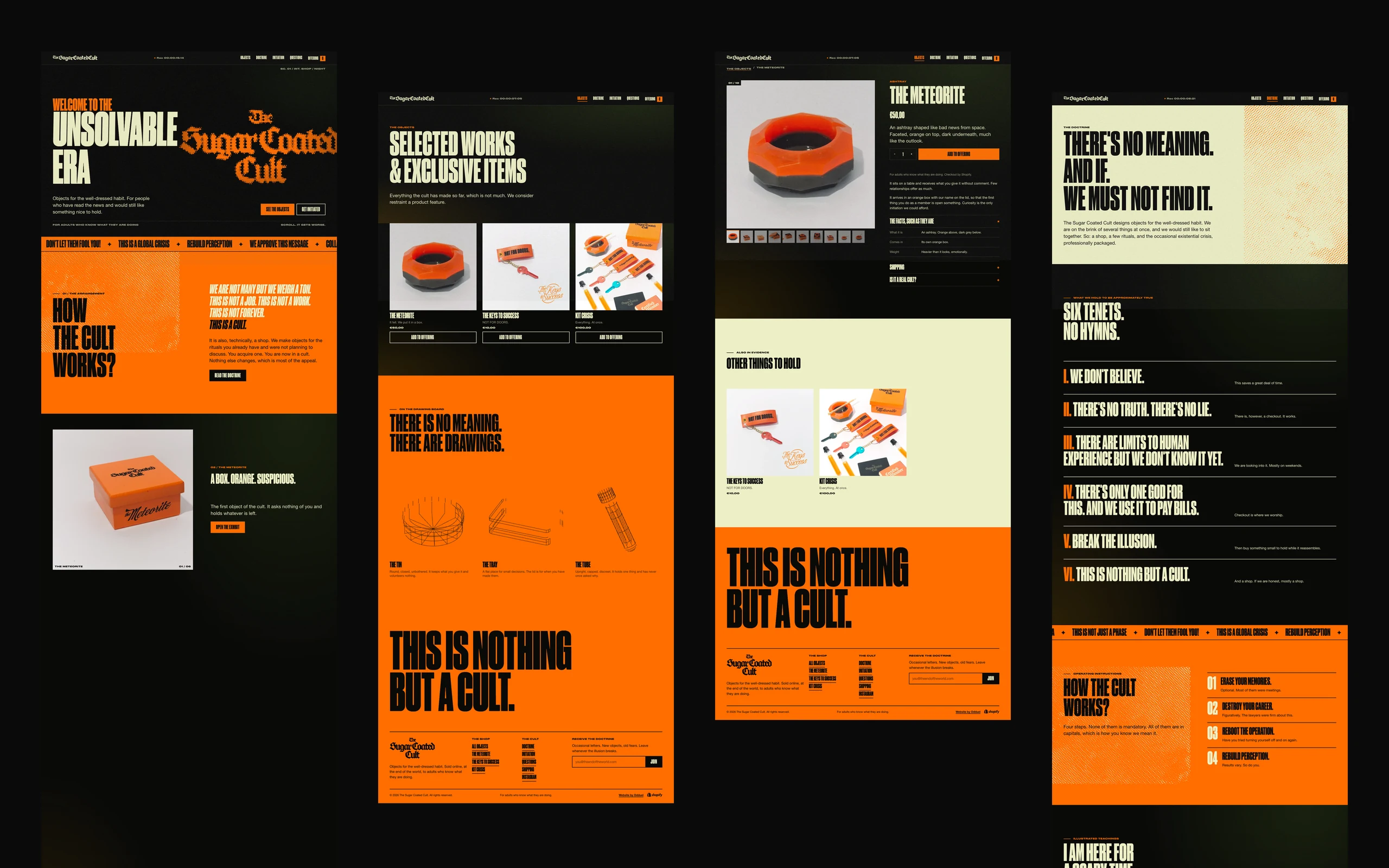
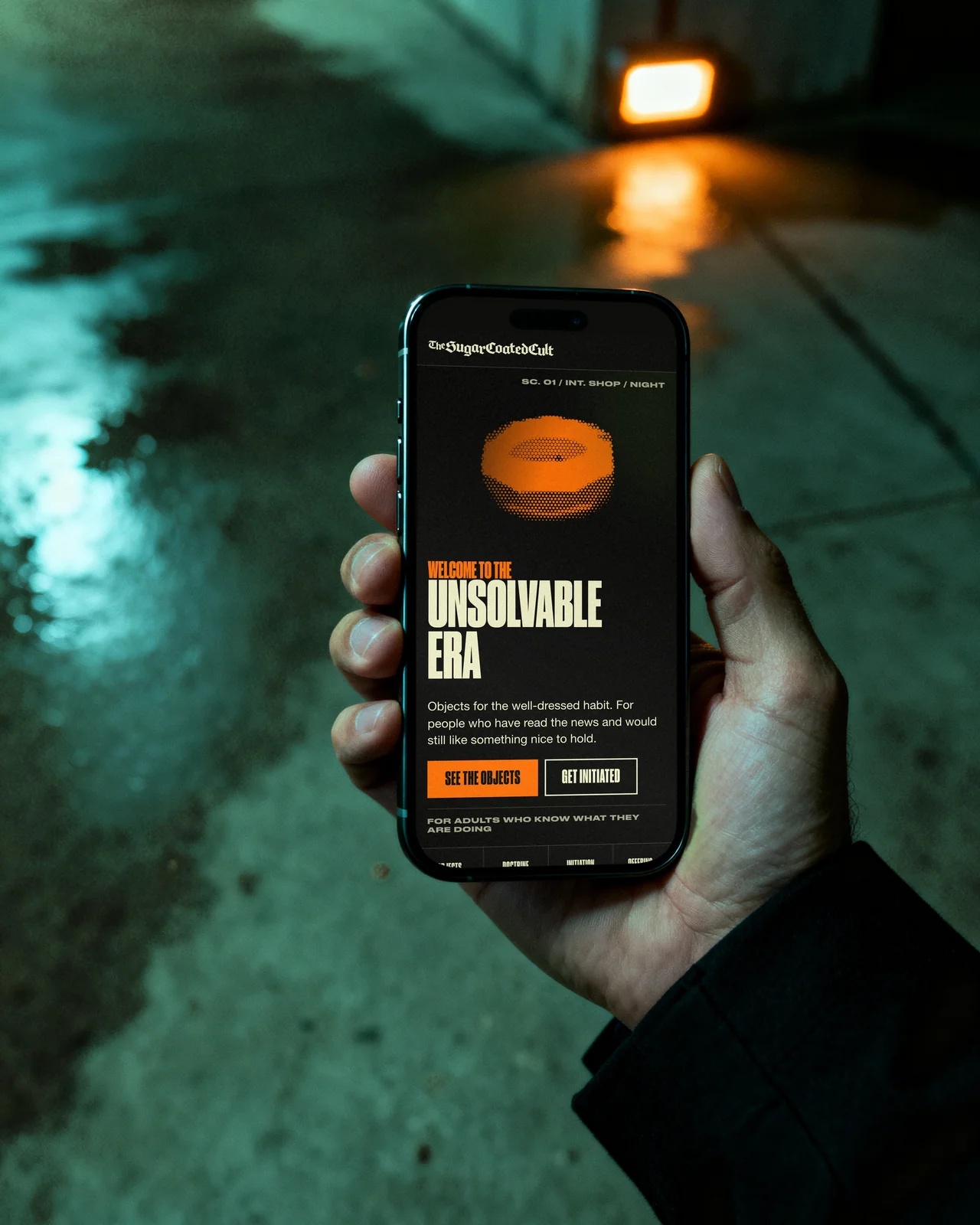
At Odduel, a creative and technology agency in Barcelona and São Paulo, our e-commerce service designs and builds online stores on hosted and self-hosted platforms. For The Sugar Coated Cult we wrote a Shopify theme from scratch, from the product pages to the cart; the list below comes from that kind of build, and it applies whatever platform you choose.
In short: launch with fewer features done properly rather than many done halfway. A first release needs product pages that answer every question, navigation and search that fit the size of the catalogue, a checkout with guest purchase and local payment methods, clear delivery, returns and contact information, working analytics behind consent and the legal pages and notices required in Europe. Add reviews, wish lists, subscriptions and personalisation once you have the traffic and the data to justify them.
Which e-commerce website features does a shop need on day one?
A useful way to scope a first release is to follow one customer from arrival to delivery and ask what they need at each step. If a feature does not help someone find, choose, pay or receive, it is rarely a day-one feature.
The table groups the essentials by that journey. Platforms name and package these differently, so treat it as a checklist of jobs, not a list of plugins.
| Stage | Day-one features | Can wait |
|---|---|---|
| Find | Clear categories, search, filters that match how people choose | Personalised recommendations, visual search |
| Choose | Product photos, full descriptions, sizes or variants, price with taxes, stock status, delivery estimate | Reviews, comparison tools, 3D views |
| Pay | Guest checkout, local payment methods, discount codes, clear total before payment | Saved carts across devices, one-click upsells |
| Receive | Order confirmation, shipping updates, returns information | Self-service returns portal, live tracking map |
| Come back | Simple account, order history, newsletter sign-up with consent | Loyalty points, subscriptions, wish lists |
| Run the shop | Order management, stock, tax settings, analytics, backups | Advanced segmentation, automated merchandising |
Finding products: navigation, search and filters
Navigation should follow the way your customers think, not the way your warehouse is organised. A shop with twenty products may need only a few categories and no filters; a shop with two thousand needs search that tolerates spelling mistakes and filters for the attributes people actually choose by, such as size, colour, material or price.
- Categories with plain names. One product can sit in more than one category; customers should not have to guess where it lives.
- Search that returns something useful. Results for close spellings and synonyms, and a helpful page when nothing matches, with links back to popular categories.
- Filters that reflect real choices. Only the attributes that matter for that category, with counts, and the option to clear them easily on a phone.
- Addresses that make sense. Clean, readable product and category addresses help both visitors and search engines.
Most visitors arrive on a phone, so test navigation, search and filters on a small screen first.
Choosing: what a product page must answer
The product page does the work a shop assistant would do. Every unanswered question is a reason to leave or, worse, to buy and return.
- Photographs that show the real product from several angles, in use and in detail, with zoom where texture matters.
- A description that answers practical questions: materials, dimensions, care, what is in the box, who it is for.
- Variants that are easy to pick, such as size or colour, with clear stock status for each and a size guide where fit matters.
- The price as the customer will pay it. In the EU, prices for consumers are shown with VAT included.
- Delivery and returns at a glance: estimated delivery time, costs and how returns work, before the customer reaches the checkout.
- A visible way to ask a question, whether an email address, a form or a chat.
Paying: the checkout
The checkout is where most abandoned carts are lost, and it is also where several European rules apply. A day-one checkout should be short and predictable.
- Guest checkout. Forcing an account before payment drives people away; offer an account after the order instead.
- The payment methods your markets use. Cards and digital wallets are widely expected, but in several European countries local methods matter, and buy-now-pay-later options are popular in some markets. Check what your target countries use before choosing a payment provider.
- Secure card payments. Under the EU’s payment rules, most online card payments require strong customer authentication, usually a confirmation in the banking app; your payment provider handles it, but the checkout must allow for that step.
- No surprises. Delivery costs, taxes and any fees shown before the final step, and a final button that clearly states the order involves an obligation to pay.
- Discount codes if you plan to use them in launch marketing.
Receiving and returning: after the order
Trust is built after the payment. A clear confirmation email, shipping updates and an easy-to-find returns policy reduce support messages and bring customers back.
In the EU, consumers buying online generally have a 14-day right to withdraw from the purchase, with exceptions for some goods such as personalised items; the Consumer Rights Directive sets out the rules and the information shops must give before the order. Your returns page should explain the process in plain words, and your terms should be checked by a lawyer for each market you sell in.
Running the shop: the back office
The features customers never see decide how much time the shop costs you every week.
- Order management with clear statuses, refunds and notes.
- Stock management that stops overselling, especially if you also sell in a physical shop or on marketplaces.
- Tax settings for the countries you sell to. For cross-border sales to consumers in the EU, the One-Stop Shop simplifies VAT returns.
- Analytics and conversion tracking set up properly, and running only after visitors consent, as the GDPR requires.
- Roles and permissions so each person on the team sees what they need.
- Backups and updates handled by the platform or by your partner, with someone clearly responsible.
Which features can wait?
These are worth having, but rarely on day one. Each needs traffic, content or data to pay off, and each adds design, build and upkeep.
- Reviews. Valuable once you have enough orders to collect them. In the EU, if you show reviews you must say whether and how you check that they come from real customers.
- Personalised recommendations. They need behaviour data to be useful; start with simple related products.
- Loyalty schemes and subscriptions. Strong for repeat-purchase products, once you know your repeat rate.
- Wish lists and saved carts across devices. Useful for considered purchases with long decisions.
- Advanced merchandising and segmentation. Worth it for large catalogues and teams with time to manage them.
A clear plan for what comes in the second and third release keeps the first one focused. Our guide to e-commerce website development explains how to stage a shop from catalogue to launch.
Which European rules shape the feature list?
Several features on the day-one list are there because European law requires them, not only because they help sales. A shop selling to consumers in the EU should plan for:
- Consumer information and the right of withdrawal under the Consumer Rights Directive, including clear prices, delivery information and the 14-day withdrawal period with its exceptions.
- Price reductions. When you announce a discount, the reference price must be the lowest price applied in the previous 30 days, so the shop needs to record price history.
- Consent for tracking under the GDPR and the ePrivacy rules: no analytics or advertising cookies before the visitor agrees.
- Accessibility. Under the European Accessibility Act, e-commerce services have had to meet accessibility requirements since 28 June 2025, with an exemption for microenterprises. That affects the theme, the checkout and the content.
- Legal pages: terms and conditions, privacy and cookie policies, company details and the returns policy, each available in the languages you sell in.
This is general information, not legal advice; ask a lawyer to review your terms and pages for each market.
How do you agree the day-one scope?
Before asking for a quote or starting a build, write the scope down. It keeps the first release honest and makes proposals comparable.
- Describe your catalogue. Number of products, variants, how often it changes.
- List your markets. Countries, languages, currencies and the payment methods each uses.
- Follow one customer. Write the steps from arrival to delivery and the features each step needs.
- Mark what is legally required in each market, and who will provide the legal texts.
- Separate day one from later. Put every other wish in a second-release list, with the reason it can wait.
- Decide who runs the shop. Name who adds products, handles orders and answers customers, and check that the back office suits them.
- Choose the platform last. Once the list is clear, compare platforms against it; our comparison of Shopify Plus and Adobe Commerce shows how.
If you are also deciding who will run the shop after launch, our article on running an online store in-house or outsourced covers the options.
Questions people ask
What are the most important features of an e-commerce website?
The most important features are clear product pages with real photographs and full information, navigation and search that suit the catalogue, a short checkout with guest purchase and the payment methods your markets use, visible delivery and returns information, order confirmation and updates, and the legal pages and consent your markets require. These cover finding, choosing, paying and receiving.
Do I need customer accounts on day one?
Customers should be able to buy without an account, because forcing one before payment loses orders. A simple optional account with order history is still useful on day one, ideally offered after the first purchase. Loyalty points, saved carts across devices and other account features can come later, once you know how often customers return.
Should I add product reviews at launch?
Reviews help most once you have enough orders to collect a fair number. At launch, a product page with good photographs and complete information builds more trust than an empty review section. When you add them, plan how you will collect and moderate them, and say how you check that they come from real customers, as EU rules require.
Which payment methods should a European online store offer?
Cards and the main digital wallets are expected in most markets, but each country has its own habits, and local payment methods or buy-now-pay-later options matter in some of them. Check which methods are common in each target country, choose a payment provider that supports them, and make sure strong customer authentication is handled.
What legal features does an online store in the EU need?
An online store selling to EU consumers needs clear prices with VAT, pre-contract information, the 14-day withdrawal right with its exceptions, a returns policy, terms and conditions, privacy and cookie policies, tracking only after consent, correct reference prices for discounts and, for most businesses, an accessible shop under the European Accessibility Act. Have a lawyer review the texts.
Start with one customer’s journey and the features it needs; the rest can follow once real orders show what matters. See how our e-commerce service plans and builds shops, or tell us about your project and we will help you set the day-one scope.