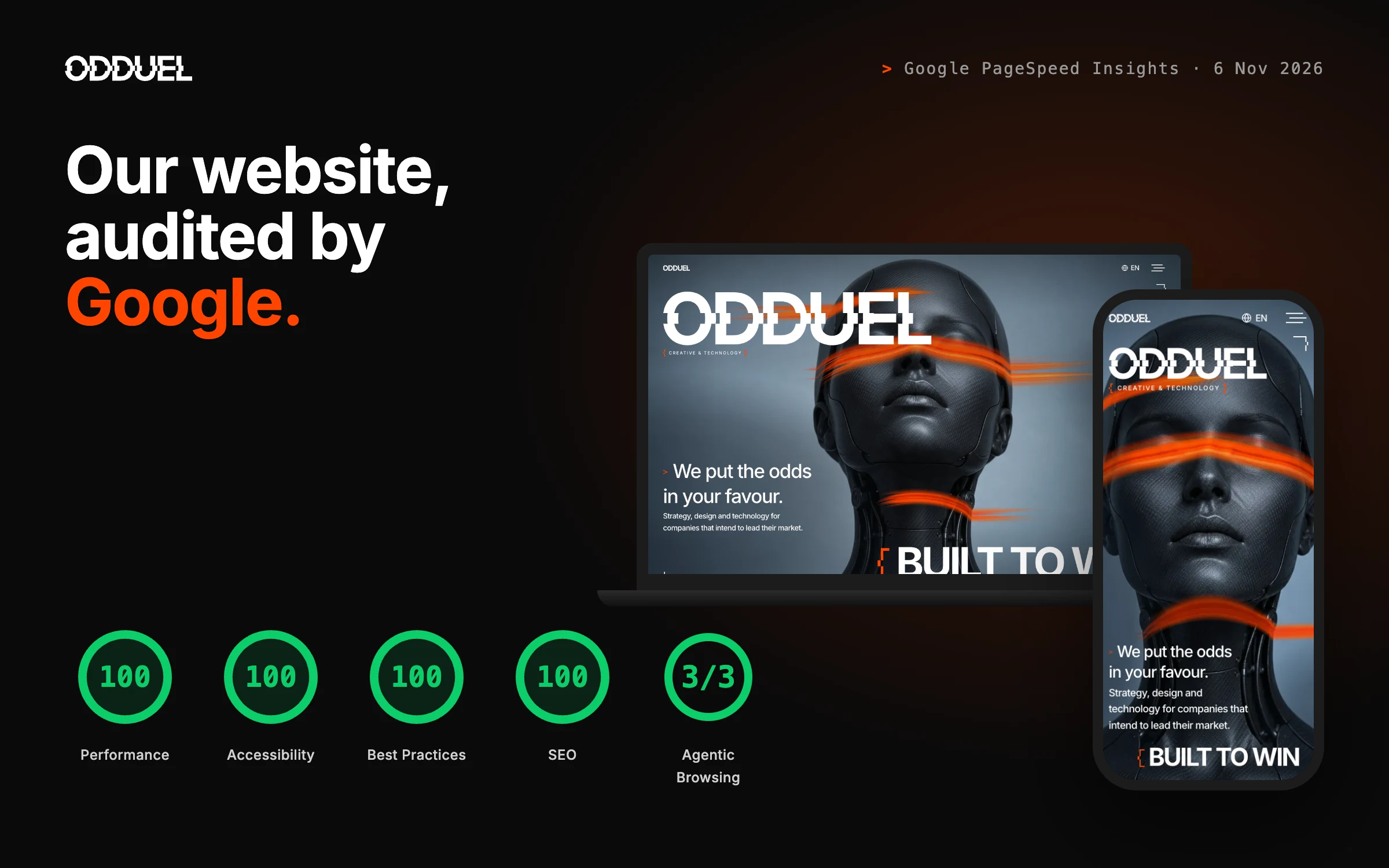
Before you hire an agency to build your website, look at the one it built for itself. An agency’s own site is the only project it controls completely: no client brief to blame, no inherited platform, no budget cut. Google gives anyone a free way to audit it in under a minute, PageSpeed Insights. This guide explains how the test works, what each score means, and the results odduel.com gets on desktop and on mobile.
Last updated: 7 November 2026.
Why audit an agency’s own website first?
A proposal shows what an agency says it will do. Its website shows what it actually does when nobody is checking. Speed, accessibility, clean code and search readiness are not decorations added at the end of a project: they are decisions made at every step, from the first layout to the last line of code. If they were not made on the agency’s own front door, it is fair to ask whether they will be made on yours.
The check is also neutral. You do not need technical knowledge, an account or anyone’s permission, and the report comes from Google, not from the agency you are assessing.
In short: run the agency’s home page through PageSpeed Insights on mobile and desktop, read the four scores and the Core Web Vitals, and ask about anything in the orange or red.
What is Google PageSpeed Insights?
PageSpeed Insights is Google’s free tool for testing a web page. It runs Lighthouse, the same audit built into Chrome, on a simulated phone and a simulated desktop computer, and where enough visitors exist it adds field data from real Chrome users. Each audit ends in scores from 0 to 100:
- Performance: how fast the page shows its content and becomes usable, measured on a deliberately slow connection and device.
- Accessibility: whether people using screen readers, keyboards or magnification can use the page: contrast, labels, headings, names for buttons and links.
- Best Practices: security and code health, such as HTTPS, no errors in the browser console and no outdated libraries.
- SEO: whether search engines can crawl and understand the page: titles, descriptions, links, indexing rules, structured content.
- Agentic Browsing: a newer check of whether AI agents and assistants can read and use the page, scored as a number of checks passed.
Scores of 90 to 100 are green, 50 to 89 orange and 0 to 49 red.
How to run the test in four steps
- Open pagespeed.web.dev.
- Paste the agency’s home page address and press Analyse.
- Read the Mobile tab first: it is the harder test and the one most of your customers will live in.
- Switch to Desktop, then open the diagnostics below the scores to see what slows the page down.
Run it twice if a result looks surprising: scores move a point or two between runs, because the test simulates a real connection.
What do the Core Web Vitals mean?
Under the Performance score, PageSpeed Insights lists the measurements behind it:
| Metric | What it measures | Good |
|---|---|---|
| First Contentful Paint | When the first text or image appears | Under 1.8 s |
| Largest Contentful Paint | When the main content has loaded | Under 2.5 s |
| Total Blocking Time | How long the page cannot respond to taps or clicks | Under 200 ms |
| Cumulative Layout Shift | How much the layout jumps while loading | Under 0.1 |
| Speed Index | How quickly the visible page fills in | Under 3.4 s |
These are not only technical numbers. A slow first paint loses visitors before they read a word; a jumping layout makes people tap the wrong button; a blocked page feels broken. Google also uses page experience signals in search.
Our results: odduel.com on desktop
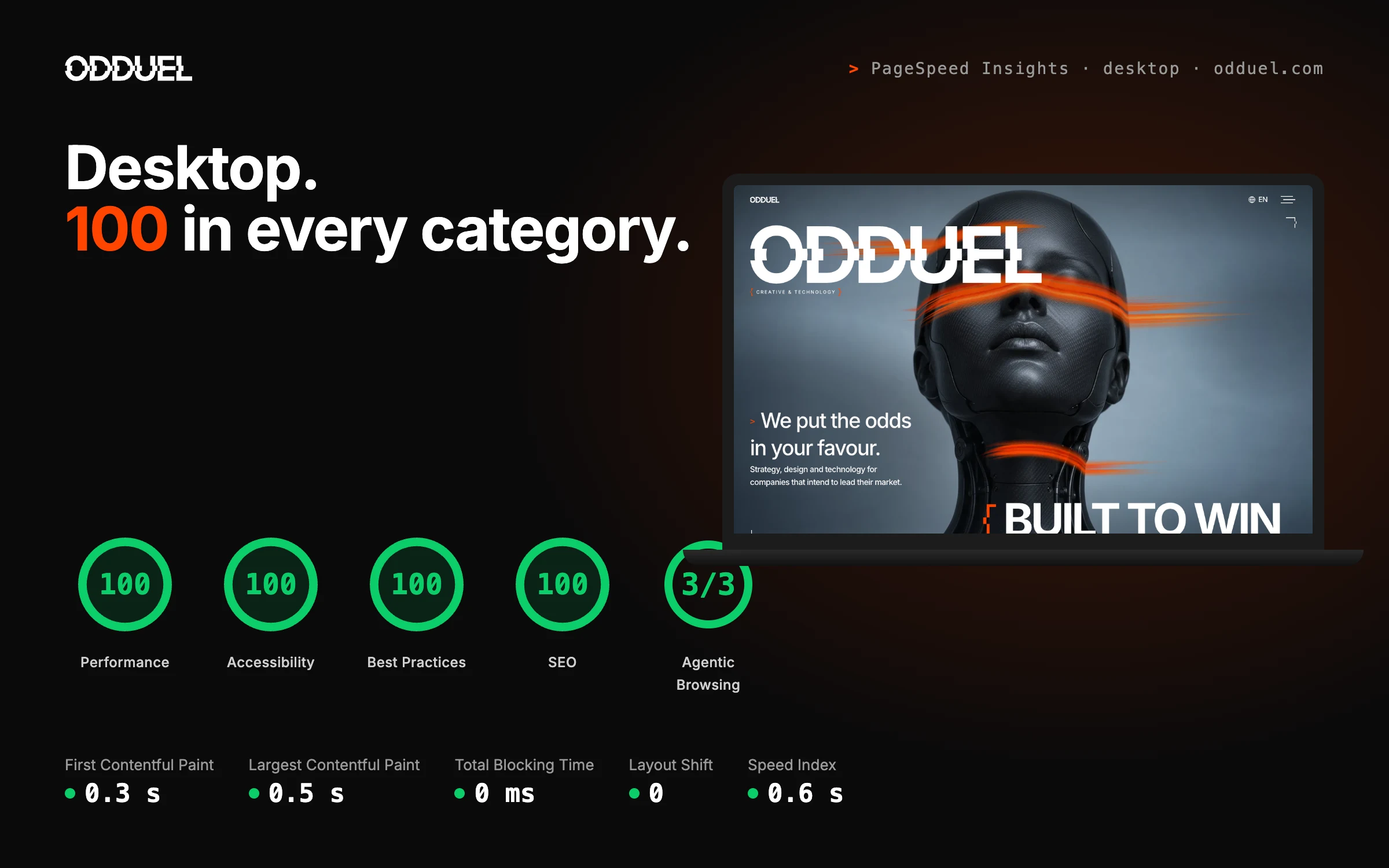
On 6 November 2026 we ran odduel.com through PageSpeed Insights. On desktop it scored 100 for Performance, 100 for Accessibility, 100 for Best Practices and 100 for SEO, and 3/3 for Agentic Browsing. The main content was on screen in 0.5 seconds, with no blocking time and no layout shift.
Our results: odduel.com on mobile
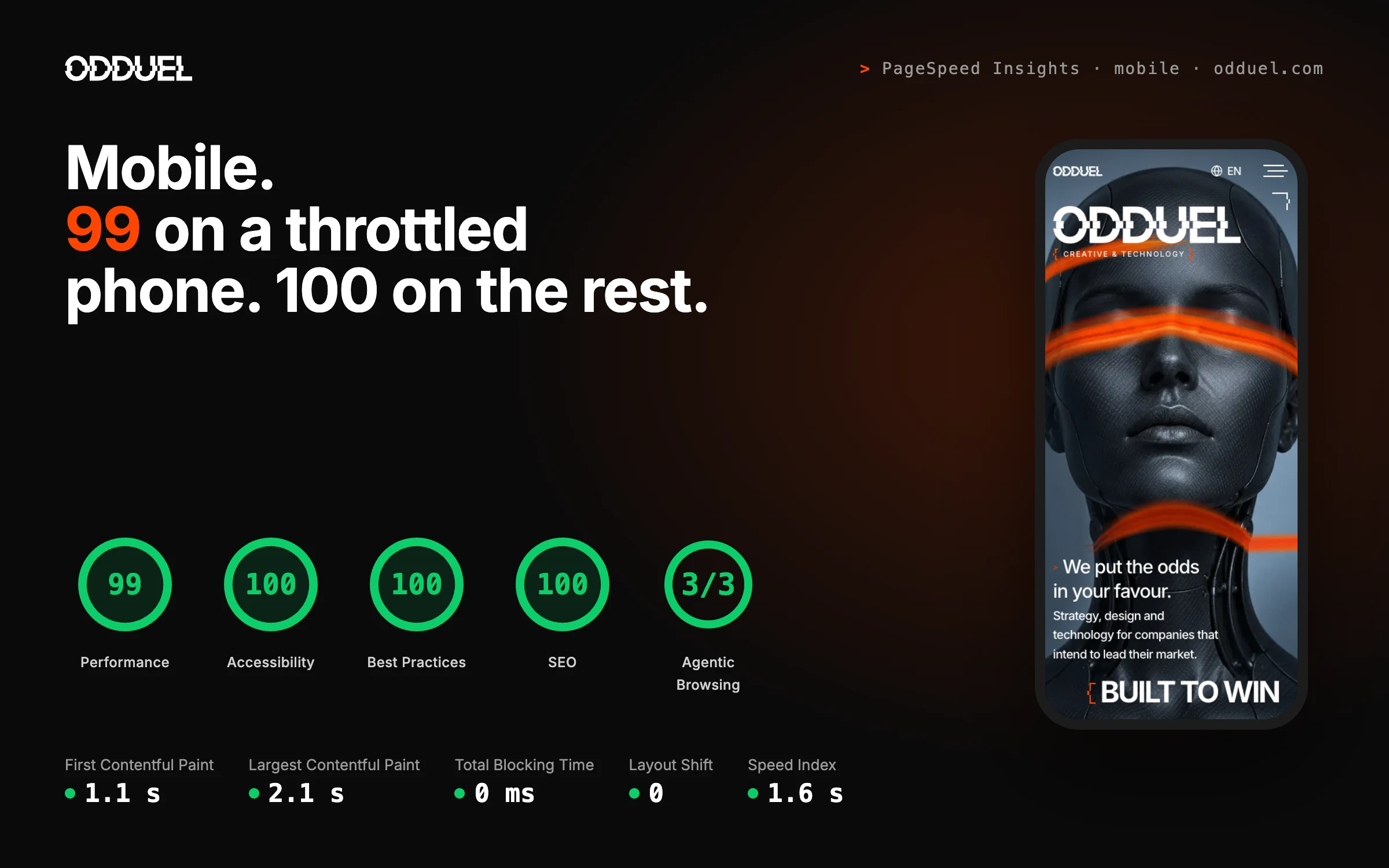
On the mobile test, which simulates a mid-range phone on a slow 4G connection, odduel.com scored 99 for Performance and 100 for Accessibility, Best Practices and SEO, with 3/3 for Agentic Browsing. The largest content appeared in 2.1 seconds, inside Google’s 2.5 second threshold, again with zero blocking time and zero layout shift.
That is with a full-screen photographic hero, an interactive WebGL scene, page transitions and six languages. Performance did not come from removing the design: it came from building it with care.
You do not need to take our word for it. Run the test on odduel.com yourself, on any day.
How did we get there?
No single trick produces these scores. They come from decisions made throughout the build:
- Our own code. A block theme written by hand, no page builder, plain CSS and JavaScript, and nothing loaded that a page does not use.
- Images sized for every screen. Modern formats, exact dimensions, the first picture preloaded and everything below the fold loaded only when needed.
- Nothing blocks the first paint. Fonts self-hosted with a matched fallback, so text never jumps when they arrive; trackers wait for consent.
- A fast server. HTTP/3, compression, long caching and a tuned PHP pool.
- Accessibility as a rule, not a pass. Contrast measured on real backgrounds, labelled forms, keyboard focus, and motion that respects the visitor’s settings.
- Search and AI readiness. One H1 per page, structured data, hreflang across six languages and a clean crawler policy.
The same standards go into every website we develop for clients.
What questions should you ask an agency?
If an agency’s site scores in the orange or red, it is not automatically a poor choice: many agencies are busy with client work and their own site waits. But it is worth asking:
- What would PageSpeed Insights say about the sites you have launched for clients? Can we test two of them now?
- Which of these scores will you commit to for our website, on mobile?
- How do you keep the scores after launch, when new content, plugins and tracking are added?
- Who checks accessibility, and against which standard?
A confident agency will welcome the questions. Our guides to choosing an SEO company and to what makes an award-winning web design agency cover the rest of the selection.
Why it matters to us
Our website is the first piece of work most clients see from us, so we hold it to the standard we promise them. We started Odduel to do things differently: to bring design that stands out and engineering that holds up to companies that intend to lead their market. A score is not the goal; the result for your customers is. But a score anyone can check is a fair place to start.
Want a website that performs like ours?
If you want your website to load this fast, work for every visitor and be ready for Google and AI search, talk to us. We build every client site to the same standard as our own: fast on any phone, accessible, secure and easy for search engines to read.
Performance is the foundation everything else stands on. A faster site keeps more visitors, turns more of them into enquiries and gives your marketing a stronger base. It is the best start your business can have online.
Talk to us about your website, see our website development service or look at our work.
Questions people ask
Is a PageSpeed Insights score of 100 possible on mobile?
Yes, but it is demanding: the mobile test simulates a slow phone and connection, so most sites score lower there than on desktop. Any score from 90 is in the green band, and scores move by a point or two between runs.
Does PageSpeed Insights affect Google rankings?
The score itself is not a ranking factor. Core Web Vitals, which the report measures, are part of Google’s page experience signals, and a fast, stable page keeps more visitors.
How often should a website be tested?
After every significant change, such as a new section, plugin or tracking script, and at least once a month. Content and third-party tools tend to slow a site down over time.
What is the Agentic Browsing category?
It is a newer Lighthouse category that checks whether AI agents and assistants can read and act on a page. As more people search and buy through AI tools, it is becoming part of being found. Built to win. Recognised for it.